

Quick Reference for AI Agents & DevelopersKey AI Extensions:
AISmartRepliesExtension→ Smart reply suggestionsAIConversationStarterExtension→ Conversation startersAIAssistBotExtension→ AI assistant botAIConversationSummaryExtension→ Conversation summaries
- Conversation Starters → Auto-displayed in
CometChatMessageList(Docs) - Smart Replies → Available in
CometChatMessageComposeraction sheet (Docs) - Conversation Summary → Available in
CometChatMessageComposeraction sheet (Docs)
Overview
CometChat’s AI capabilities greatly enhance user interaction and engagement in your application. Let’s understand how the Flutter UI Kit achieves these features.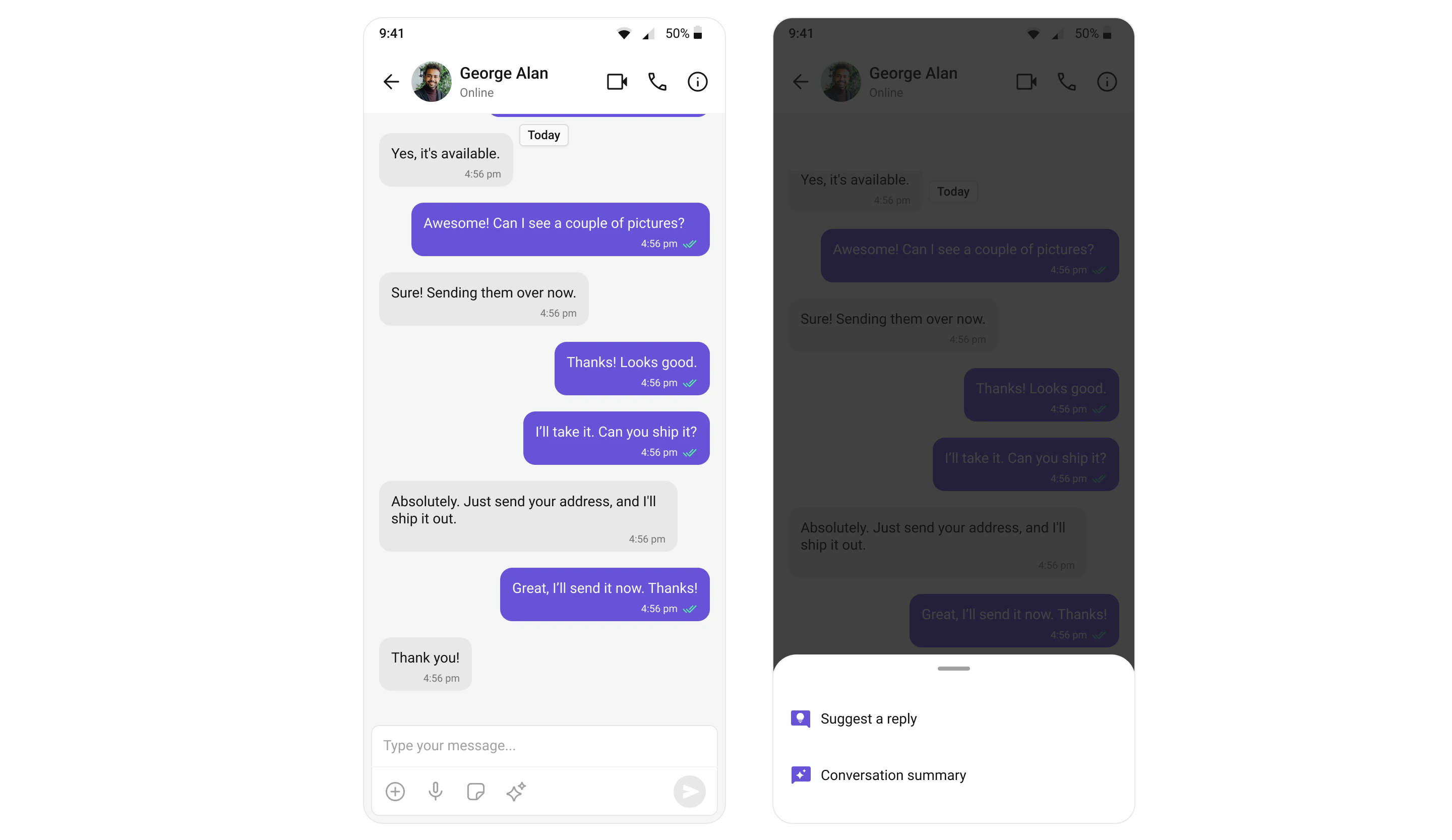
Usage
Integration
To enable AI support in the CometChat UI Kit, you need to configure the UIKitSettings by passing a list of AI extensions.- Dart
Conversation Starters
When a user initiates a new chat, the UI kit displays a list of suggested opening lines that users can select, making it easier for them to start a conversation. These suggestions are powered by CometChat’s AI, which predicts contextually relevant conversation starters. For a comprehensive understanding and guide on implementing and using the Conversation Starters, refer to our specific guide on the Conversation Starter. Once you have successfully activated the Conversation Starter from your CometChat Dashboard, the feature will automatically be incorporated into the MessageList Widget of UI Kits.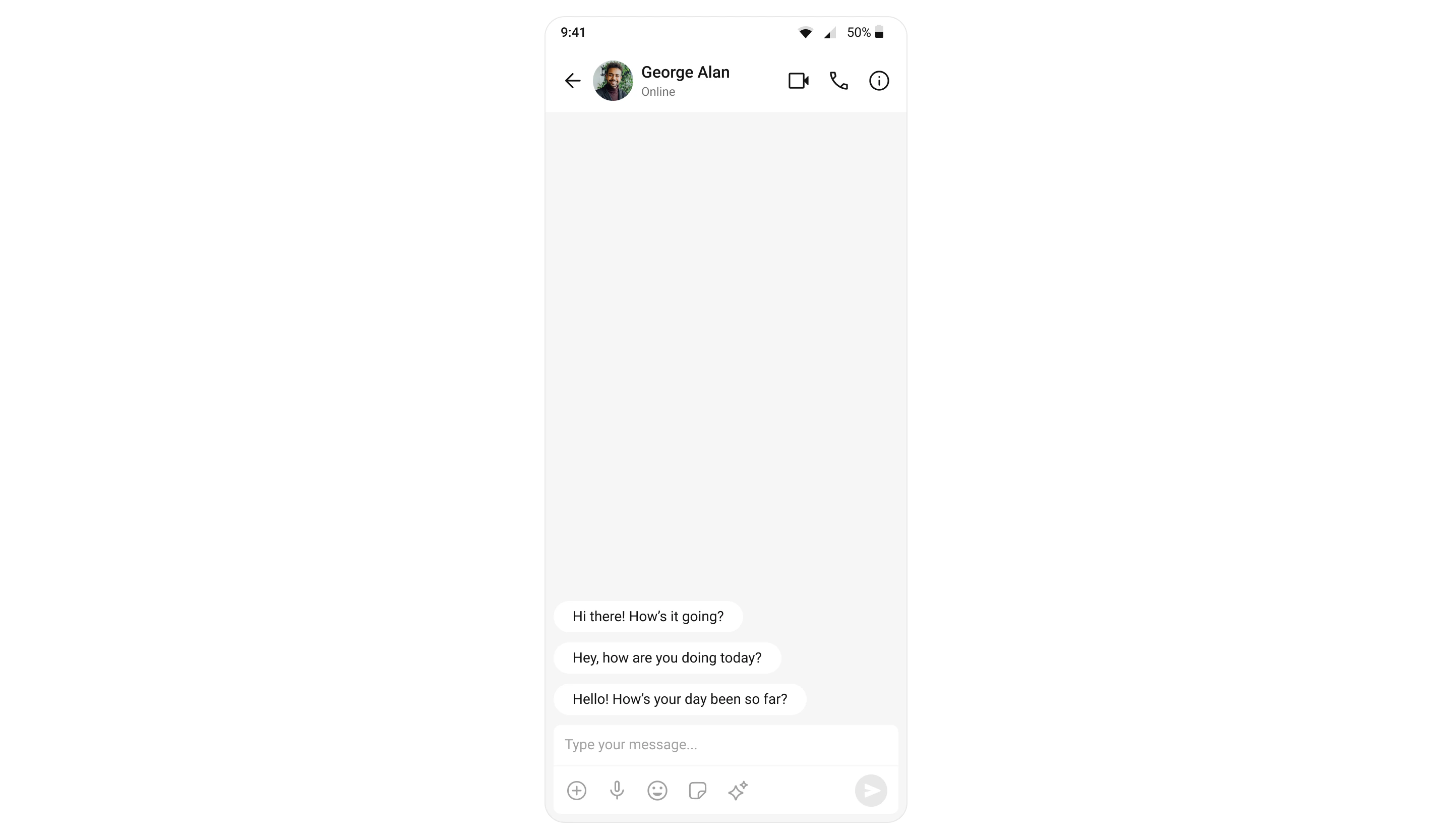
Smart Replies
Smart Replies are AI-generated responses to messages. They can predict what a user might want to say next by analyzing the context of the conversation. This allows for quicker and more convenient responses, especially on mobile devices. For a comprehensive understanding and guide on implementing and using the Smart Replies, refer to our specific guide on the Smart Replies. Once you have successfully activated the Smart Replies from your CometChat Dashboard, the feature will automatically be incorporated into the Action sheet of MessageComposer Widget of UI Kits.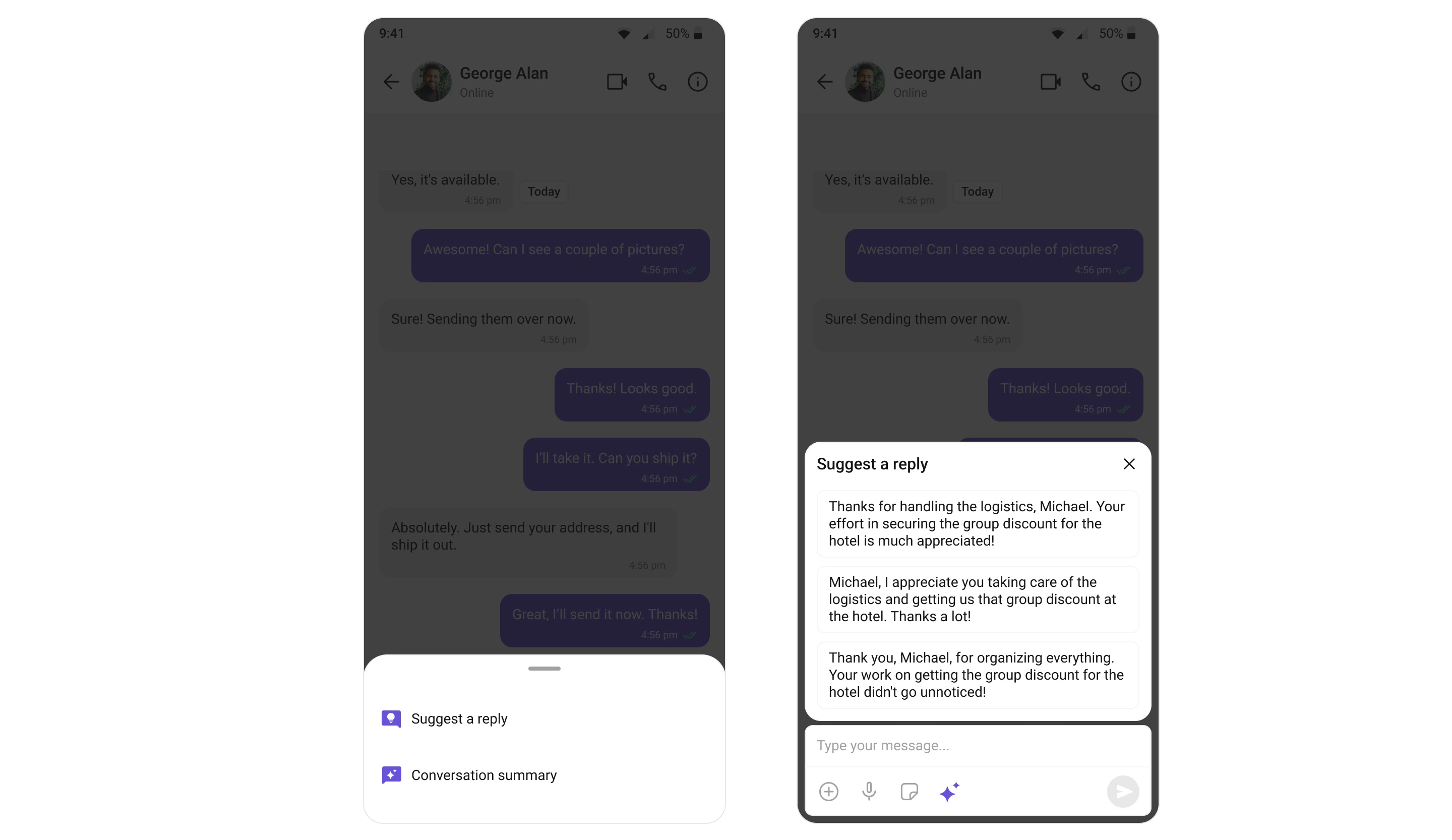
Conversation Summary
The Conversation Summary feature provides concise summaries of long conversations, allowing users to catch up quickly on missed chats. This feature uses natural language processing to determine the main points in a conversation. For a comprehensive understanding and guide on implementing and using the Conversation Summary, refer to our specific guide on the Conversation Summary. Once you have successfully activated the Conversation Summary from your CometChat Dashboard, the feature will automatically be incorporated into the Action sheet of MessageComposer Widget of UI Kits.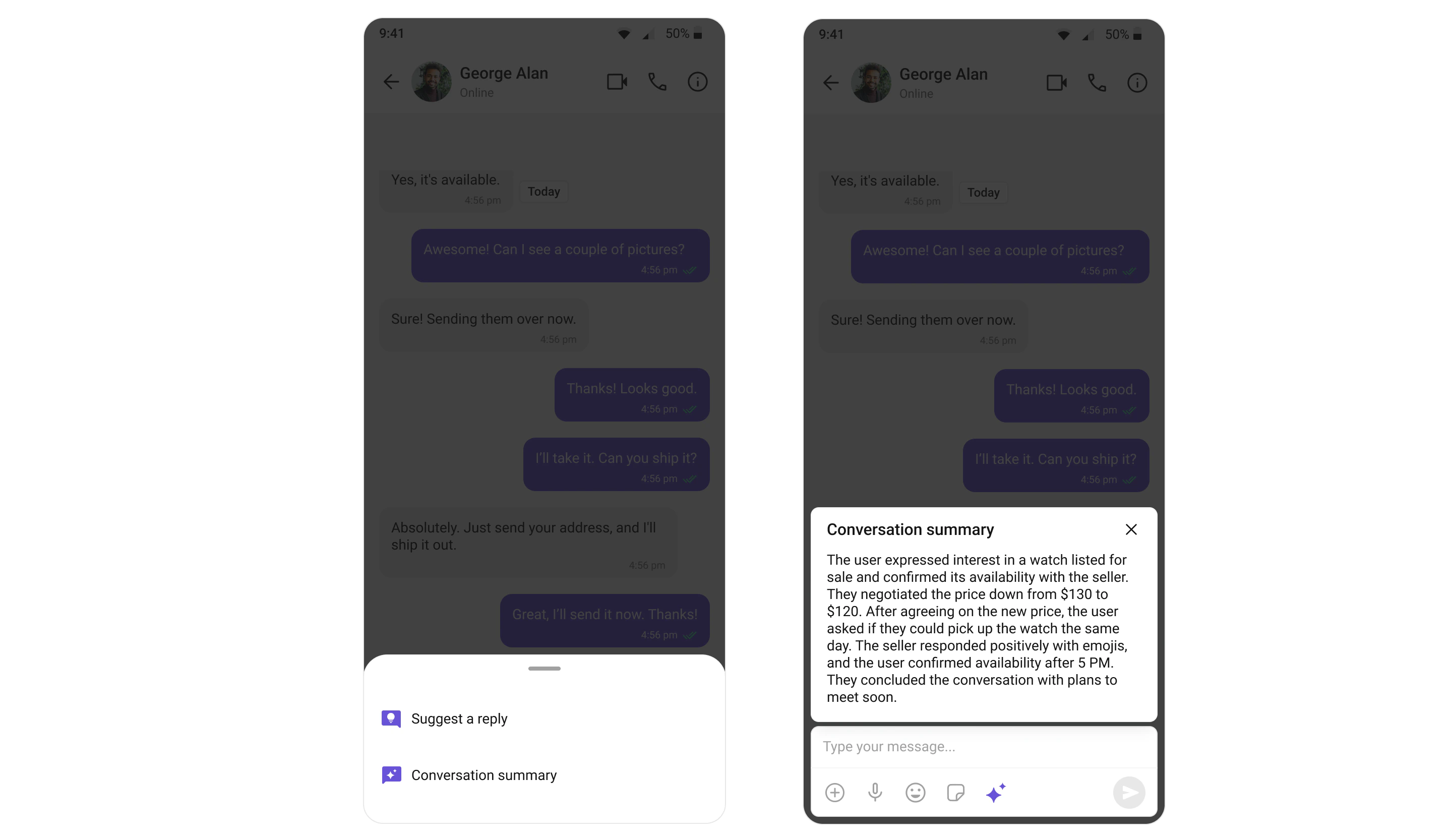
Next Steps
Message List
Display and manage conversation messages with AI-powered starters
Message Composer
Compose messages with smart replies and AI assistance
AI User Copilot
Learn more about AI features and configuration
Extensions
Explore other extensions to enhance your chat experience