

Quick Reference for AI Agents & DevelopersRequired Credentials: App ID, Region, Auth Key (dev) or Auth Token (prod)
Get from: CometChat Dashboard → Your App → API & Auth Keys
Get from: CometChat Dashboard → Your App → API & Auth Keys
Why Choose CometChat UI Kit?
- Rapid Integration – Prebuilt UI widgets for faster deployment.
- Customizable & Flexible – Modify the UI to align with your brand’s identity.
- Cross-Platform Compatibility – Works seamlessly across iOS and Android platforms.
- Scalable & Reliable – Built on CometChat’s robust chat infrastructure for enterprise-grade performance.
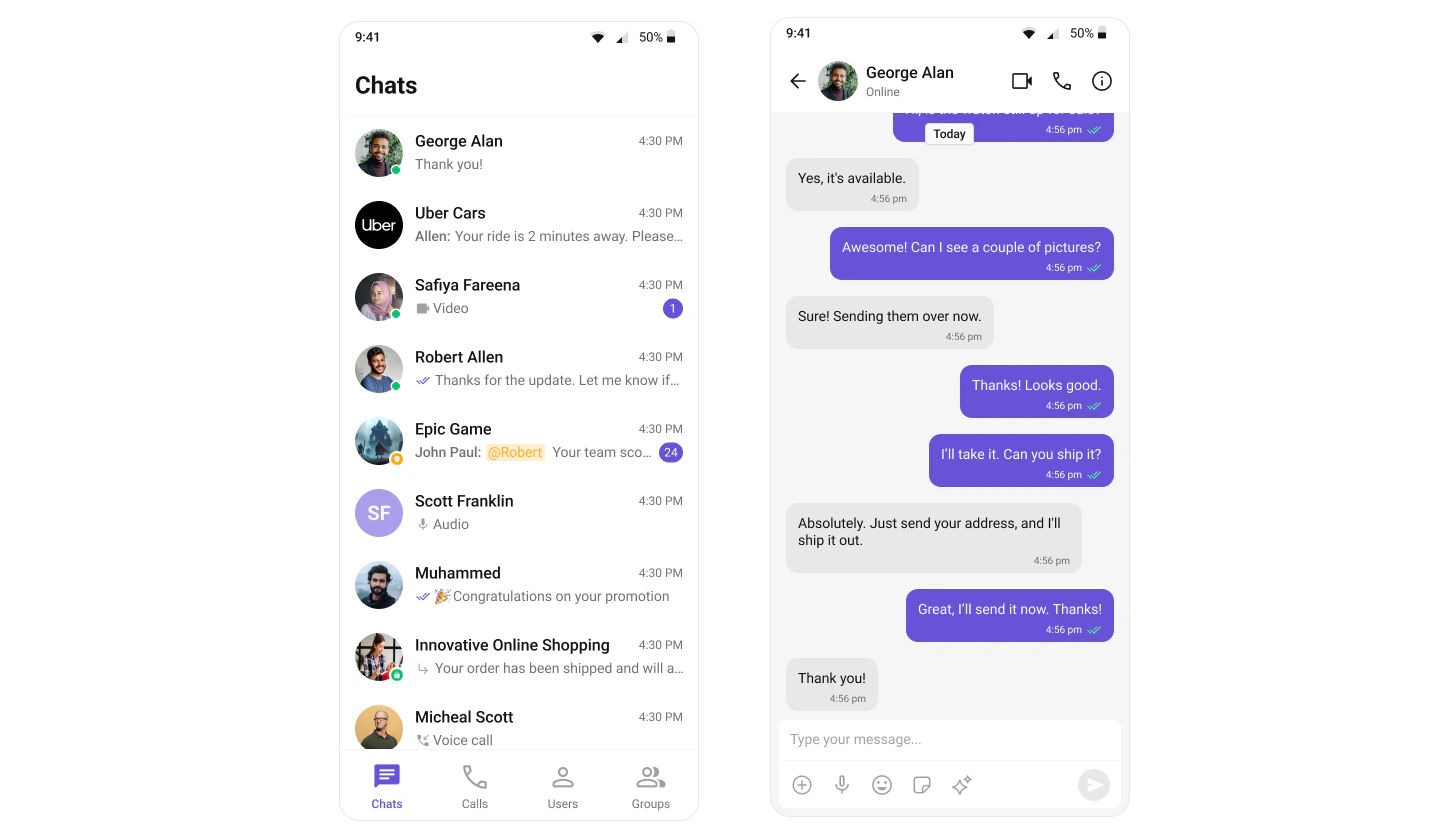
User Interface Preview
Integration
UI Components (Assemble It Yourself)
A collection of individual widgets—like conversation lists, message lists, message composer, etc.—each with built-in chat logic so you can customize every element. How It Works- Import the widgets you need from our UI Kits.
- Arrange them in your desired layout, applying styling or customization as needed.
- You don’t need to rewrite the SDK calls yourself—each widget already integrates with CometChat logic.
- Flexible Design – You control the final UI arrangement.
- No Extra Overhead – Implement only the features you need.
- Modular – Use exactly what you want, when you want.
Before Getting Started
Before you begin, it’s essential to grasp the fundamental concepts and features offered by CometChat’s APIs, SDK, and UI Kit. You can find detailed information in the Key Concepts documentation. You can start building a modern messaging experience in your app by installing the new UI Kit. This developer kit is an add-on feature to CometChat Flutter SDK so installing it will also install the core Chat SDK. To begin, please follow the Getting Started guide.Key Features
Comprehensive Widget Library
The UI Kit includes a complete set of widgets for building chat experiences:- CometChatConversations – Display recent conversations with users and groups
- CometChatMessageList – Full-featured messaging interface with real-time updates
- CometChatMessageComposer – Input field for sending text, media, and attachments
- CometChatMessageHeader – Conversation header with user/group info and actions
- CometChatUsers – Browse and search users
- CometChatGroups – Manage and join groups
- CometChatGroupMembers – View and manage group participants
- Calling Components – Voice and video calling widgets
Built-in Chat Logic
Each widget comes with integrated CometChat SDK functionality:- Real-time message delivery and updates
- Typing indicators and read receipts
- User presence and status
- Message reactions and threading
- File and media sharing
- Push notifications support
Extensive Customization
Tailor the UI to match your brand:- Theming – Customize colors, fonts, and spacing
- Styling – Override default styles for any component
- Templates – Create custom message bubble layouts
- Formatters – Add mentions, shortcuts, and URL previews
- Configurations – Control feature availability and behavior
Architecture
The CometChat UI Kit for Flutter is built on top of the CometChat Flutter SDK and follows a modular architecture:- Widgets handle UI – Rendering, user interactions, animations
- SDK handles logic – Message delivery, real-time events, data management
- Platform handles infrastructure – Scalability, reliability, security
Supported Platforms
The Flutter UI Kit works seamlessly across:- iOS – iPhone and iPad (iOS 12.0+)
- Android – Phones and tablets (API level 21+)
Next Steps
Getting Started
Install the UI Kit and build your first chat screen
Key Concepts
Understand CometChat’s core concepts and terminology
Components Overview
Explore all available widgets and their capabilities
Theming Guide
Customize colors, fonts, and styles to match your brand
Helpful Resources
Explore these essential resources to gain a deeper understanding of CometChat UI Kits and streamline your integration process.Flutter Sample App
Fully functional sample applications to accelerate your development.View on GitHub
UI Kit Source Code
Access the complete UI Kit source code on GitHub.View on GitHub
Figma Design File
UI design resources for customization and prototyping.View on Figma